For resource managers in it services and consulting
How to find the right person for an open task
A step-by-step way to staff an open task: write it as fields, cut the pool by rules, compare on counted facts, then decide. With a worked example.

Short answer. To find the right person for an open task, write down what the task really needs (skills, level, dates, place), remove everyone who cannot take it for a plain reason such as leave or timing, then compare the rest on facts you can count before you rely on anyone's memory. FitRank does those three steps in code, adds a probability for each judgement, and leaves the choice with the manager.
Who has this problem, and why it keeps happening
Any services team that staffs people onto client work meets it every week: a project needs a data engineer from the first of next month, and someone has to decide who. In a team of forty that decision is made from memory. In a team of four hundred it is made from a spreadsheet that was right the last time anyone updated it.
The failure is rarely a bad decision. It is a missing candidate. The person who would have been ideal was on a project that ended last week, or listed a skill under a different name, or sits in another business unit, and the manager never thought of them. The second failure is that nobody can explain the choice later. When a client asks why one person was proposed and not another, the answer is 'it seemed right'.
An illustrative example: one task, five people
This example is made up to show the method. The people, dates and numbers are invented and belong to no customer.
A manager needs a data engineer for a banking client, with Azure Data Factory as the main must-have skill, starting on 3 November for about four months. Five people come to mind quickly. Two of them are on a project that ends on 14 November, so they are not free in time. One is on approved leave for the first fortnight. One has the skill but is based in a location the client does not allow for this work. That leaves one person, and the manager is about to pick her by default.
Done properly, the first step is to take those four people off the list with a reason written next to each name, so that nobody is dropped by accident. The second step is to look at everyone else the manager did not think of. Three more people are free in time and have some of the skills. Now there are four real options, and the question changes from 'who do I know' to 'who fits best, and how sure are we'.
How to do it by hand
- Write the task as fixed fields, not a paragraph: role, must-have skills, nice-to-have skills, level, start date, length, allocation and location limits. If you cannot fill a field, that is the question to ask the requester before you search.
- Cut the pool with rules that have yes or no answers: free from the start date, not on leave, allowed in the location, inside the cost band. Keep a note of who was cut and why.
- For the people left, count facts. How many of the must-haves do they cover? How many years on the main skill, and when did they last use it? Have they worked in this client's domain? Counting beats impressions because two managers will count the same way.
- Only then use judgement: is this person at the right level, and what is the risk that the delivery goes badly? Write the reason in a sentence.
- Make the call and record it with its reason, even if the reason is short. The record is what lets you improve next time.
How FitRank handles each step
FitRank follows the same order, and it keeps the parts that can be calculated separate from the parts that need judgement.
- Intake. You type the task the way you would say it and FitRank fills in the fields. You confirm them in a preview before the task exists. See plain-language task intake.
- Rules in code. Availability, leave, location, working-hours overlap, cost band and clearance are checked by code. A person who fails is not given a low score; they go to the excluded list with the rule they failed, so the manager can see who was left out and why.
- Facts in code. Coverage of must-have and nice-to-have skills, level gap, experience against the minimum, domain projects and skill recency are calculated exactly, and a person's resume-backed skills are marked apart from claimed ones.
- Five typed judgements. For each remaining person, the in-house model answers skill match, level fit, domain relevance, delivery risk and overall fit. Each answer is a probability for every option from a fixed list, never free text.
- Checks and bands. Code compares the answers with the facts. A contradiction, thin data or an unsure model caps the person at Review. Your own cut-offs place everyone in Shortlist, Review or Hidden.
- A person decides. The manager accepts or rejects with a reason (skill gap, level, domain or timing). Nothing is ever assigned automatically. See explained matching and shortlists.
A run scores everyone in a median of 0.94 seconds on an ordinary laptop CPU in the team's own benchmark, and it happens in the background, so the manager can carry on with something else while it runs.
A checklist you can use without any software
- Is every field of the task written down and agreed with whoever asked for it?
- Did you list who was ruled out and the one-line reason for each?
- Did you look beyond the people you already know, including people finishing a project in the next month?
- Are your comparisons based on counts (skills covered, years, last used) rather than on who you trust?
- Did you check how recent the main skill is? A skill last used three years ago is not the same as one used last quarter.
- Did you write down why you chose the person, in a sentence, before telling anyone?
- Did you ask yourself what would make this pick fail, and who is the second choice?
Common mistakes
- Starting from the person you know and working backwards to justify them.
- Treating a skill list as proof. A profile that has not been touched in a year says what someone could do then, not now.
- Mixing planning reasons with fit. 'He was free' is why someone was available, not why they were right. Keep the two apart or the record teaches you nothing.
- Dropping people silently. If an exclusion is not written down, nobody can challenge it, and good candidates stay missing.
- Choosing on the score alone. A probability is a prompt to look, not a verdict. A person at 57 per cent is a person to check, not to ignore.
When FitRank is not the right tool
It needs profiles to work from. If your people data is mostly empty or years old, the ranking will be only as good as that data, and the first job is cleaning it, which employee records and CSV import help with. It is built for matching named people to tasks, so it is not a shift rota: for who works which hour, the free schedule generator is a better fit, and staffing versus scheduling explains the difference.
It also will not take the decision from you, by design. If you want a tool that assigns people automatically without anyone approving, FitRank is the wrong choice. And if you staff three tasks a year, a spreadsheet and the checklist above are enough.
Questions people ask
How is this different from searching a skills spreadsheet?
A filter returns everyone who has a keyword. FitRank first removes people who cannot take the task for a recorded reason, then compares the rest on counted facts and five probability answers, and tells you who was left out and why.
Can the model put someone on the shortlist who is on leave?
No. Rules run first and in code. Only people who pass every rule are scored, and the model cannot override a rule.
What if the model is unsure about someone?
They are capped at Review rather than Shortlist, so a person looks at them. Unsure answers are never turned into confident ones.
Does FitRank learn from my team's choices?
Accept and reject decisions are recorded with a reason and used as training examples. A new scorer is trained overnight but only used after an admin switches it on. See decisions, outcomes and learning.
What if nobody inside fits?
Send a hiring request to HR from the task. The hiring pipeline use case shows how that hand-off works.
The features that do the work
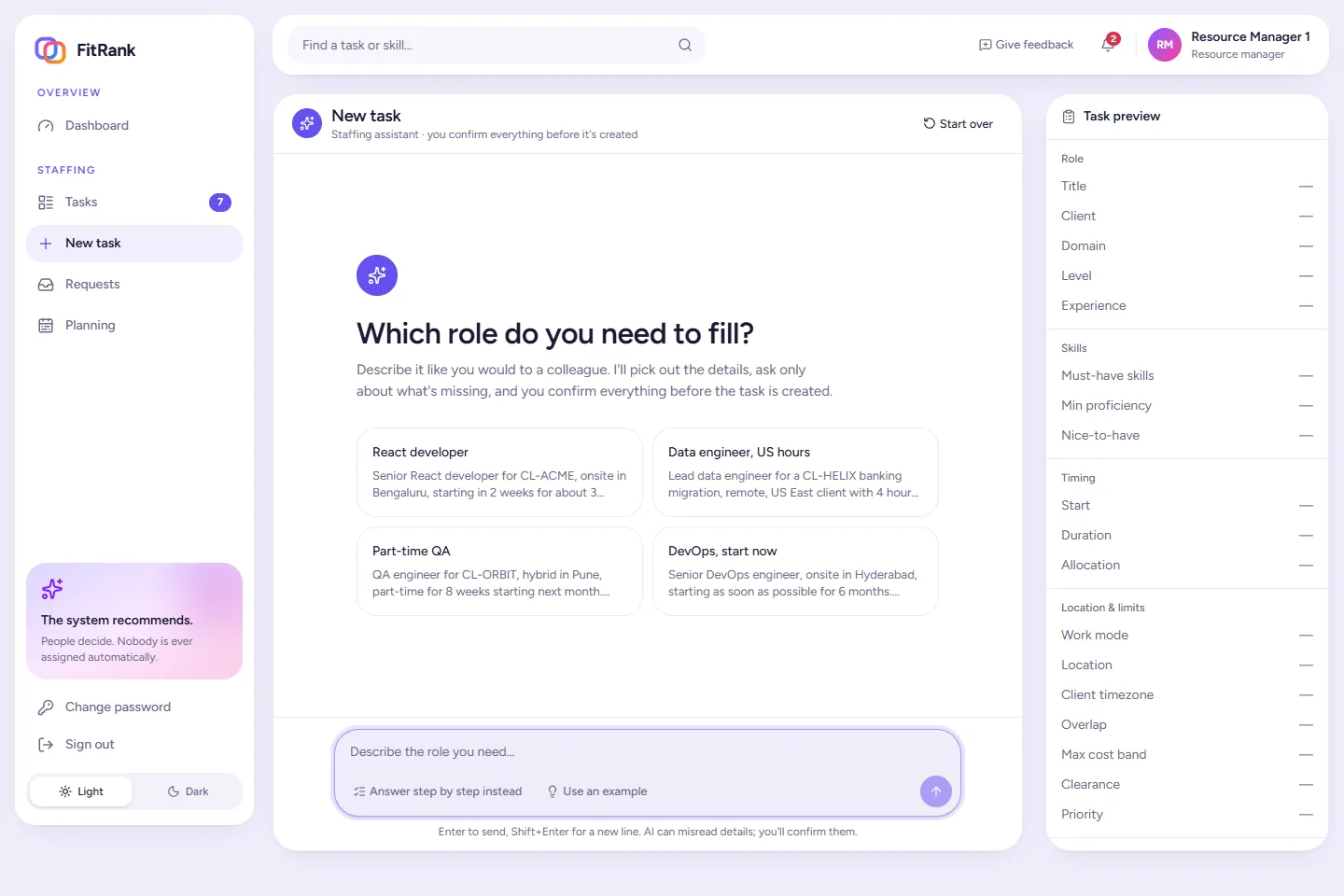 Plain-language task intakeType the role you need in plain words. FitRank turns it into skills, level, dates and location, and you confirm every field before matching runs.
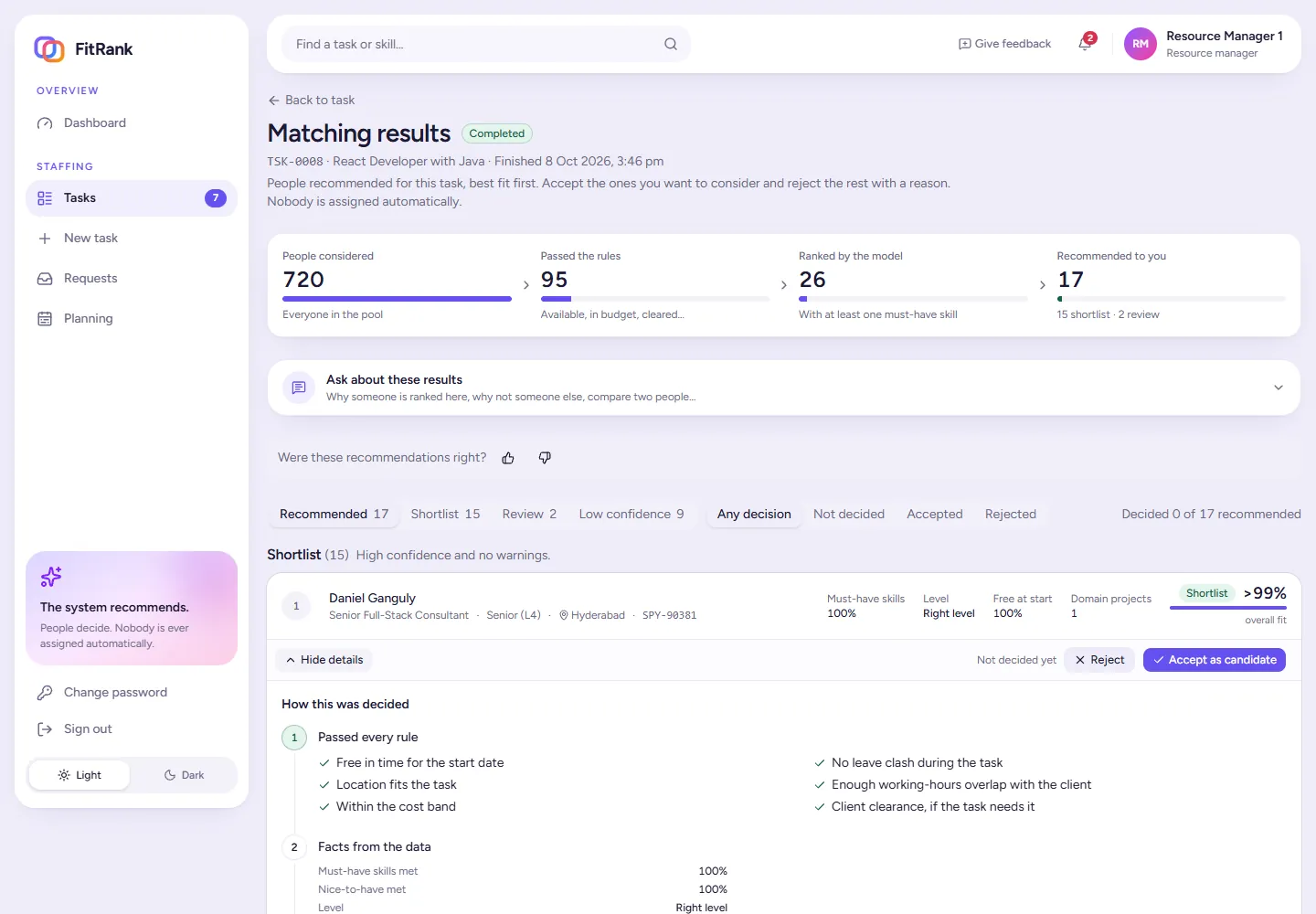 Explained matching and shortlistsOne click ranks everyone who can take a task. Each person shows the rules they passed, the facts, the model's probabilities and the band they landed in.
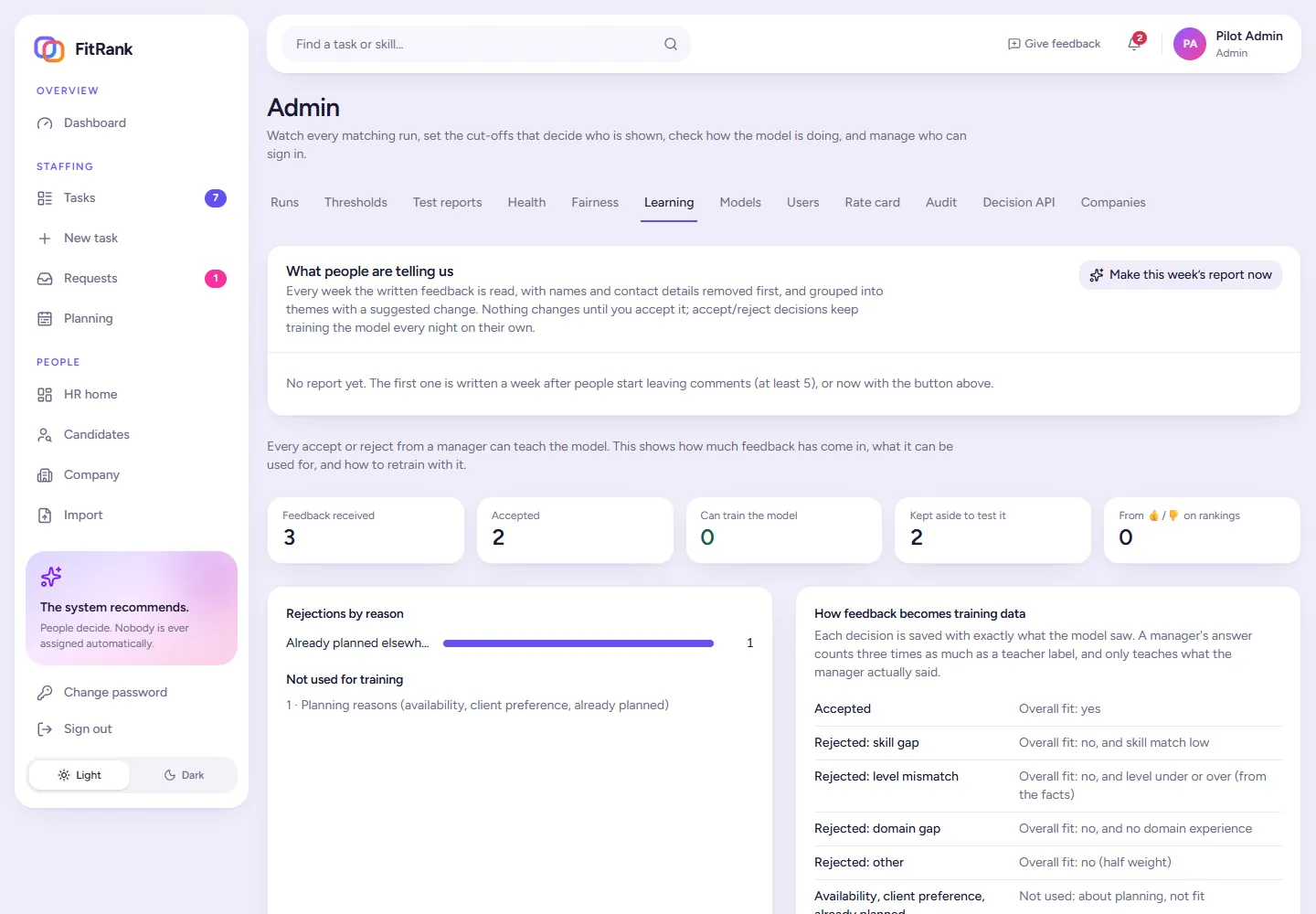 Decisions, outcomes and learningManagers accept or reject with a reason, and check in six weeks later. FitRank turns those decisions into training data, but never switches itself on.
More use cases
Be one of the first teams to staff with FitRank
We're taking on a small number of pilot companies. Pre-register for early access, or talk to us about an annual licence.