For practice leads and capability planners
Skill gap analysis for upcoming projects
Find skill shortages before a task stalls: list must-haves, count who is free in time, mark covered, tight or short, and pick who to train.

Short answer. To find a skill gap before it blocks a project, list the must-have skills of every upcoming task, count the people who will actually be free with each skill in the window you care about, and mark each skill as covered, tight or short. FitRank does this against live tasks and profiles, and shows who is closest to each gap so you can train before you hire.
The problem: gaps are found when the task is already late
Practice leads and capability planners are asked the same question every quarter: what should we train, and what should we hire? The usual answer is built from last year's projects and a feeling about the market. The gaps that matter are specific, such as 'we have two people who can do Databricks at senior level and four tasks asking for it in the next ninety days', and they only show up when the fifth task cannot be staffed.
By then the options are poor. Training takes weeks, hiring takes longer, and a rushed hire for a skill nobody inside could vouch for is the riskiest staffing decision there is.
An illustrative example: one skill, three views
Everything below is invented to show the logic and is not data from any company.
Suppose six upcoming tasks list a streaming data platform as a must-have. A headcount view says the company has eleven people with that skill on their profile, so there is no problem. A second view removes the people who are fully allocated until the end of the quarter, and four remain. A third view removes those whose last use of the skill was more than two years ago, and one person remains for six tasks. The same skill is plentiful, tight or short depending on how honestly you ask the question.
The useful second step is to look at who is closest to the skill: two people use a neighbouring tool every day and are a short course away. That turns a shortage into a training plan with names and dates, which is the output a practice lead needs.
A method you can run in a spreadsheet
- Pick a window: 30, 60 or 90 days, or six months. A gap only matters if it falls inside the time you can still act.
- List every must-have skill across the tasks starting in that window. Ignore nice-to-haves for now; they hide the real problem.
- For each skill, count the people who have it at the level the task needs and will be free before the task starts.
- Compare that count with the number of tasks that need the skill. Mark it covered, tight or short.
- For every short skill, list the people who have a related skill or the skill at a lower level. These are your training candidates.
- Decide per skill: train the closest person, hire, or change the task so it does not depend on one scarce skill.
How FitRank handles it
- It reads the must-have skills of all upcoming tasks, so nobody has to maintain a separate demand list.
- Each skill is marked shortage, tight or covered against the people who will be free in time. A shortage means a must-have skill that upcoming tasks need and that nobody free in the window has at the required level.
- For every gap it lists free people who already have the skill and the person closest to it, which is the training candidate.
- The window can be 30, 60 or 90 days or six months. See skill gap analysis.
- The skills it counts are the ones on each person's profile, with level, years and when each was last used. HR can check profiles against resumes, and the data-health view shows which profiles are missing or due for review. See employee records and CSV import.
Because the result depends on profile quality, the practical first step is to confirm profiles at least every six months. A gap report built on stale skills reports the past.
A checklist for a quarterly skills review
- Demand comes from real upcoming tasks, not from last year's mix.
- Supply counts only people who are free before the task starts.
- Level and recency are part of the count, not just the skill name.
- Every short skill has a named training candidate or a hiring decision with a date.
- Related skills are mapped, so 'close' has a definition.
- Someone owns profile accuracy, with a six-month review.
If you are starting from nothing, the free skill matrix template gives you the layout, and employee skill matrix: format, meaning and limits explains where a spreadsheet matrix stops being enough.
Common mistakes
- Counting heads instead of free heads. A skill held by someone fully booked for the quarter is not supply.
- Treating all levels as equal. A junior with the skill does not cover a task that needs a senior.
- Ignoring recency. Skills fade, and a profile line from four years ago is a hope, not a fact.
- Planning for nice-to-haves. They hide what actually blocks a start date.
- Training without a destination. A course is only worth the time if a named task will use it.
- Hiring for a gap that is really a matching problem. Sometimes the person exists and nobody looked. See skills-based resource matching.
When FitRank is not the right tool
It measures demand from tasks that exist in the system, so it cannot see deals that have not been entered yet, though a what-if check can cover a prospective one. It is not a long-range workforce planner: it answers what is short in the next few months, not what your headcount should be in three years. It does not run training or track course completion. And if your profiles are mostly blank, fix the data first, because the gap view will show a shortage of everything.
Questions people ask
What counts as a shortage?
A must-have skill that upcoming tasks need and that nobody free in the chosen window has at the required level.
Which skills does it count?
The ones on each person's profile, with level, years and when each was last used.
Can it tell me who to train?
For every gap it shows the person closest to the skill, so you can train before you hire. The choice is yours.
Does it look at nice-to-have skills?
The gap view is built on must-have skills, since those are the ones that stop a task from starting.
How do I keep profiles accurate?
Use the data-health view to see missing or stale profiles, confirm profiles every six months, and let HR check them against resumes.
The features that do the work
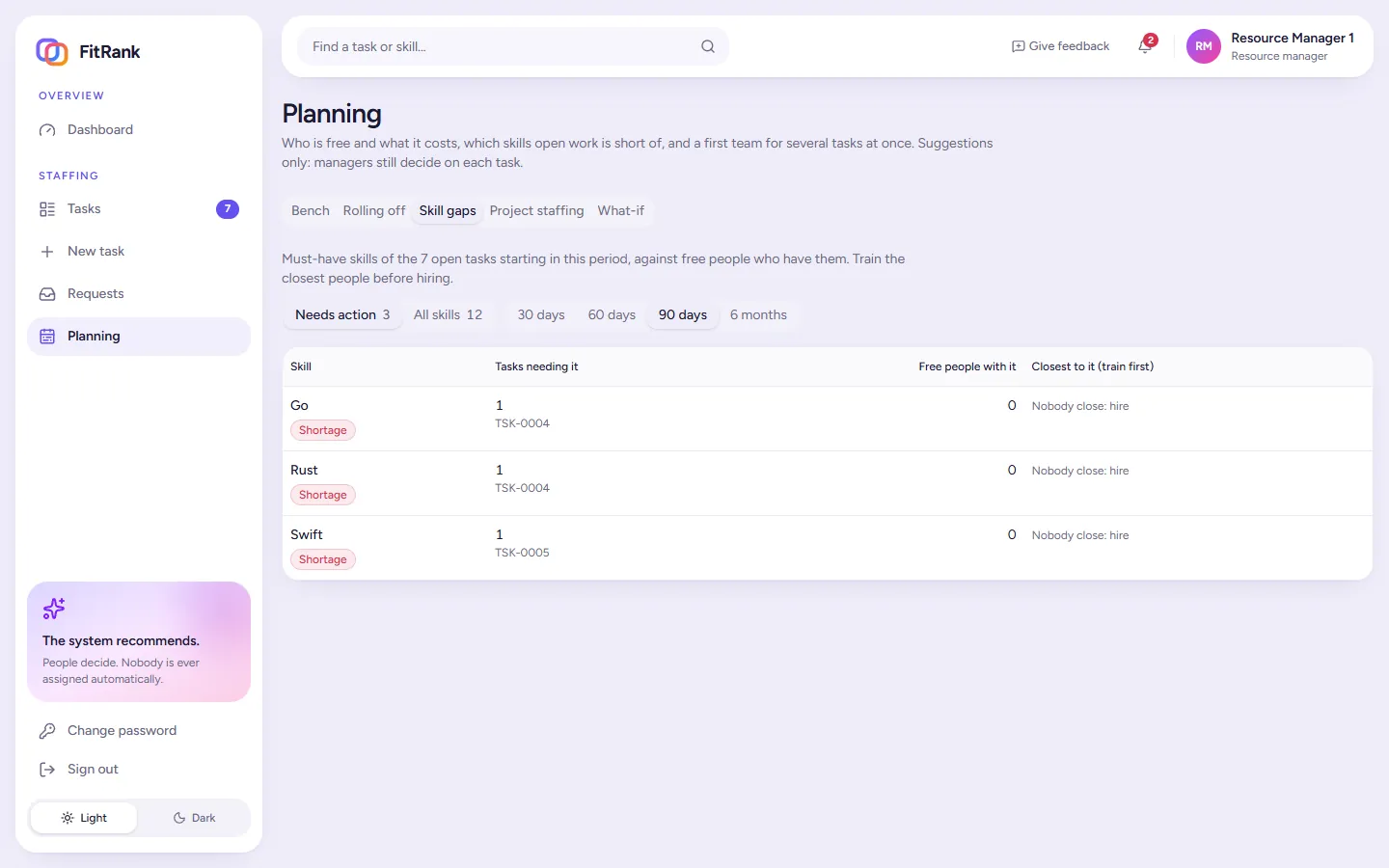 Skill gaps: train, move or hireFitRank marks every must-have skill in upcoming work as shortage, tight or covered, and compares the best internal person with the best outside candidate.
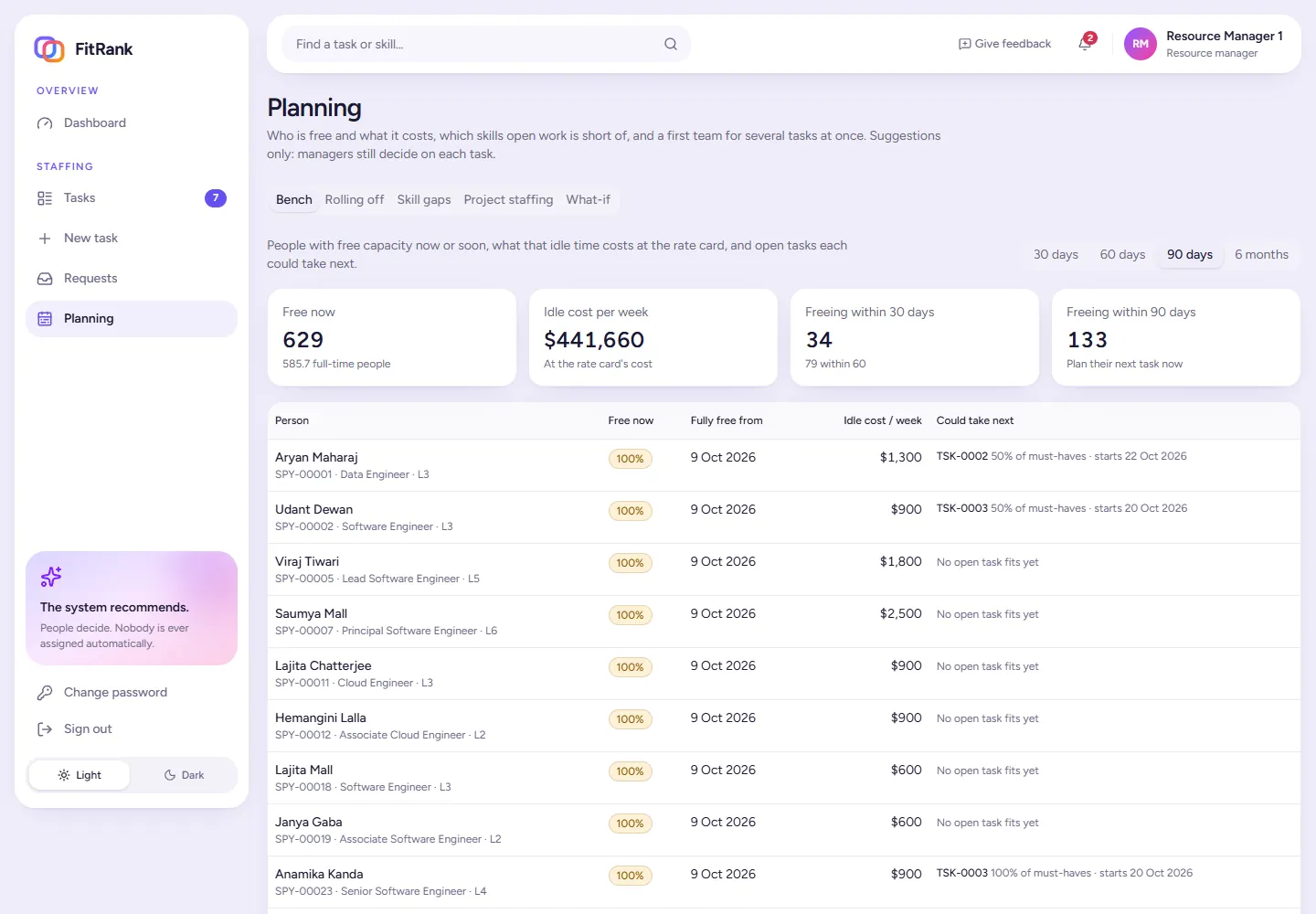 Bench and roll-offsSee who is free now or within 30, 60 or 90 days, the weekly idle cost, and the open tasks each person could take next, with roll-off warnings.
More use cases
Be one of the first teams to staff with FitRank
We're taking on a small number of pilot companies. Pre-register for early access, or talk to us about an annual licence.